
🎨 Styling & Branding for Print or Digital
Make your Tents and Trees puzzles match your brand, theme, or publishing style.
🗂️ Required Module
- ✅ Puzzle Maker Pro – Tents and Trees
- ✅ Puzzle Maker Pro v2025.13.0.1 or later
🛠️ Preparation
Before you begin:
- Decide on your font and color theme
- Choose whether you want a title, description, logo, and watermark
- (Optional) Prepare your logo as a PNG with transparency
🔢 Step-by-Step Instructions
1. Open the Tents and Trees Module
- Launch Puzzle Maker Pro
- Select:
Puzzle Type → Tents and Trees (Licensed)
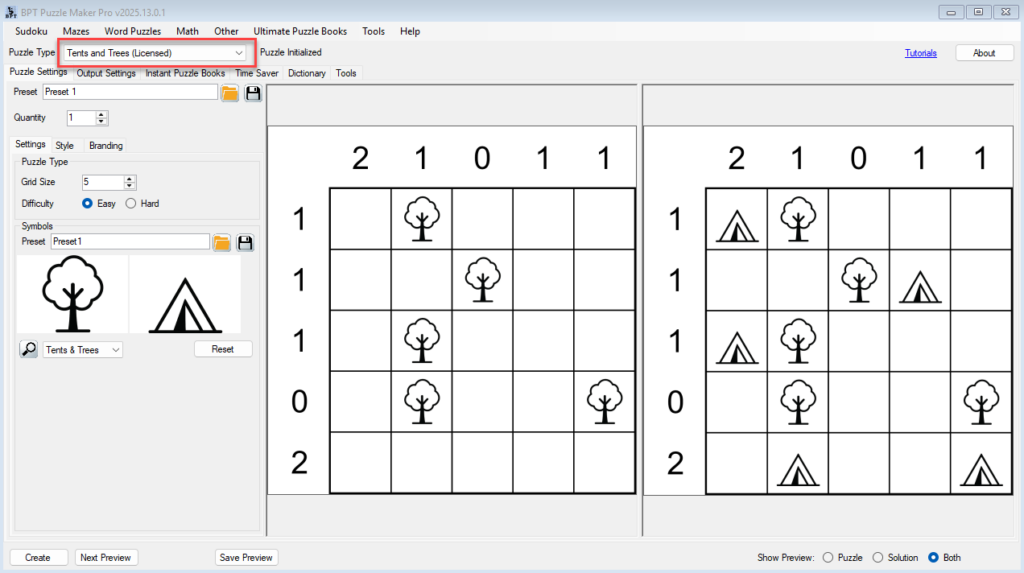
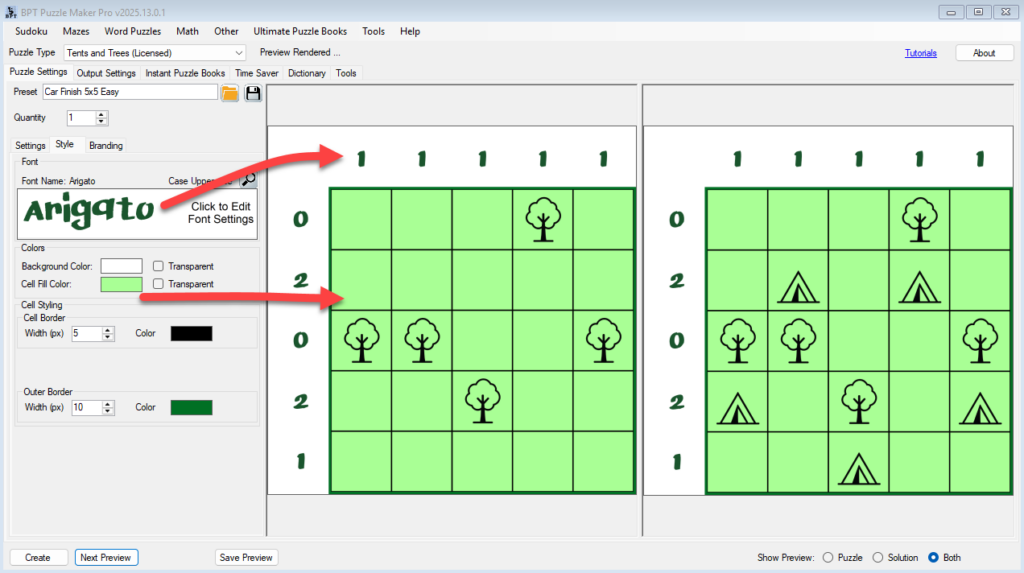
2. Set Your Font and Grid Styling
Go to the Style tab:
- Click the font preview panel (e.g., “Arial – Click to Edit Font Settings”)
- Choose your font family, size, color, and case
- Set border styles:
- Cell Border Width and Color
- Outer Border Width and Color
- Optional: Set Background and Cell Fill Color, or make them transparent
Use Next Preview to see styling updates in real time.
3. Enable Branding
- Go to the Output Settings tab
- Check
Use Branding - Click Branding to open the branding dialog
4. Customize Branding Settings
In the Branding Setup window:
- Toggle options:
✅ Show Title
✅ Show Description
✅ Show Logo
✅ Show Watermark / URL - For each, you can set:
- Font and Color
- Position (Top-Left, Bottom-Center, etc.)
- (Optional) Upload a logo image (PNG with transparency recommended)

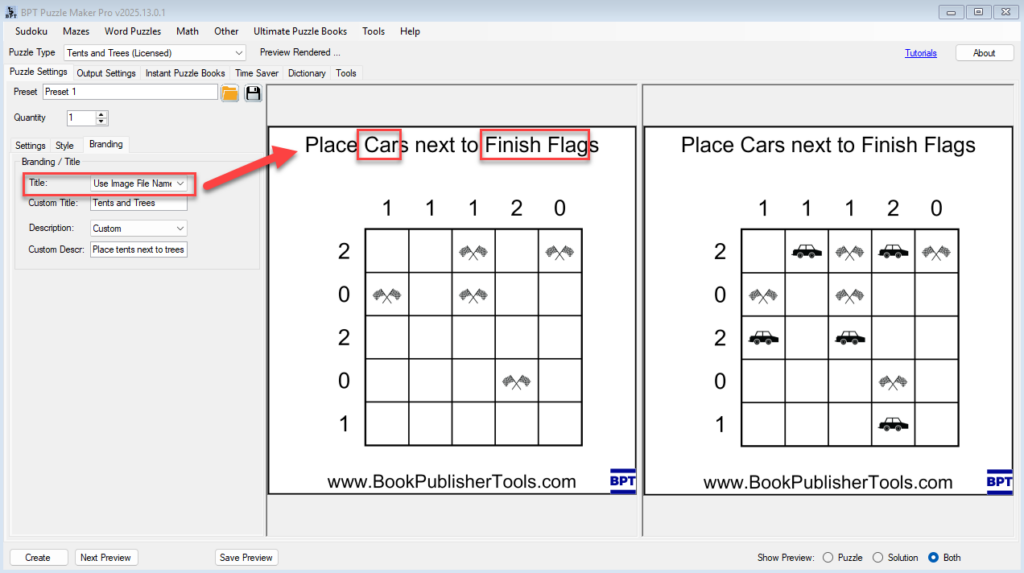
5. Choose Title and Description Source
Still in the Puzzle Settings tab under the Branding sub-tab:
- Title options:
- Grid Size
- Difficulty
- Size + Difficulty
- Custom (you enter text manually)
- Use Image Names — generates text like “Place Dog next to Bone” based on selected icons
- Description options: Custom or blank
Click Next Preview to verify layout and alignment.
6. Create Your Styled Puzzle
- Set your output format (e.g. PDF, PNG, SVG)
- Click Create to generate your fully styled and branded puzzle
🎉 Outcome
You now have a professionally styled Tents and Trees puzzle, complete with:
- Customized grid appearance
- Your choice of fonts, colors, and borders
- Optional titles, instructions, watermark, and logo — ideal for Etsy, KDP, printables, and client work
📚 Further Reading
- Getting Started with Tents and Trees
- Theming Your Puzzle with Custom Images
- Time Saver & Batch Creation (Creator Edition)